Vienna Performer

Write Every Note Yourself.
Hear It Played in Vienna.

Vienna Performer does not write music. It plays yours.
A plug-in for your DAW: give it your MIDI and it renders a breathtaking performance, the way a session musician would.

Plans from € 9.99 per month

What it is

A Session Musician Inside Your DAW

AI-assisted MIDI transformation

  • ✓Performs, doesn’t invent. Your notes stay your notes. What gets added is phrasing, breath, bow direction, vibrato, the small timing that makes a line sound played rather than entered.
  • ✓Takes what you already have. A MIDI file, a track in your DAW, or your score right inside Dorico or Sibelius, with no notation export. No new way of writing to learn.
  • ✓Skip the programming. No articulation tweaking. Your dynamics and your phrasing drive the performance.
  • ✓Same Vienna Synchron Stage, same players. Synchron libraries and Vienna Performer side by side in your template, perfectly matched.

Learn the basics

Try It Out Yourself

Each example isolates one thing you can change in your MIDI (a note, its length or position, the tempo, the dynamics, the playing strength), so you get the gist of what Vienna Performer does with it. Change it, render, listen, then move on to the next.

Choose your performer

Move One Note. Hear a Real Instrument Play It.

Input · your MIDI120 BPM

Drag the highlighted note up or down, or click its arrows.

Drag the highlighted note or click its arrows · ↑ ↓ keys when focused
Output · Your Vienna Performer
Your performance starts here
Your melody, ready to be performed.

Watch the First Reactions

Damir OraščaninVienna Synchron Stage Orchestra
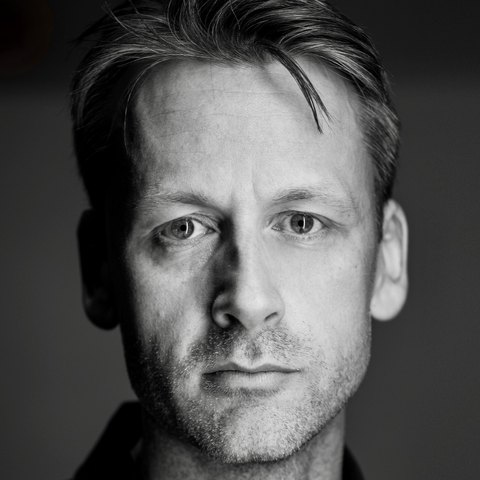
Marc OstererVienna Synchron Stage Orchestra
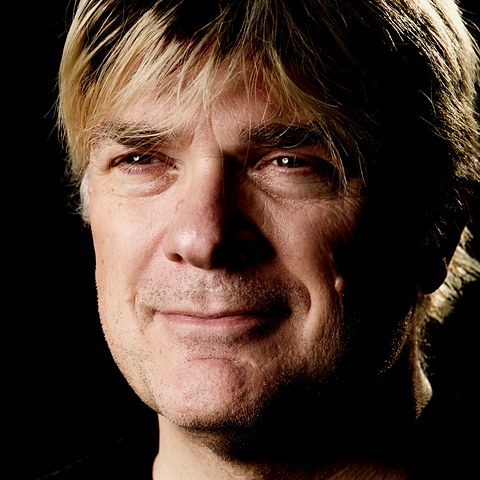
Herb TucmandlVienna Symphonic Library

Where the sound comes from

Our Musicians, Our Scoring Stage, Our Instrument Models

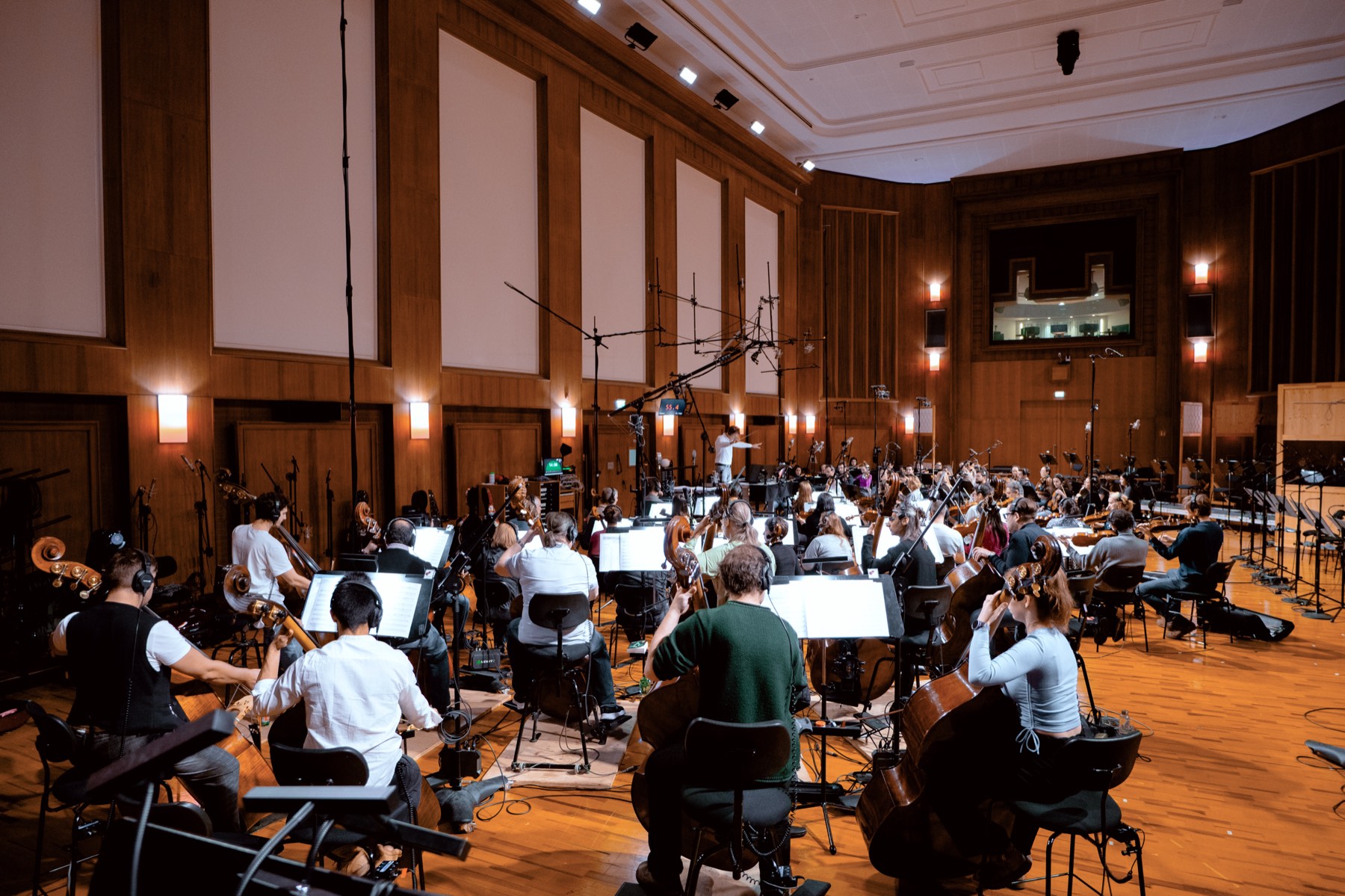
Vienna Performer learned to play from our dedicated training recordings: top session musicians from Vienna, in our Vienna Synchron Stage. It is the same origin as every VSL Synchron sample library and the many film and game scores produced in Vienna, which is exactly why it sits next to them seamlessly.

Recording facts
MusiciansTop session musicians from Vienna
Training sourceDedicated training recordings
RoomStage A of Vienna Synchron Stage
Same origin asEvery VSL Synchron sample library
Web scrapingNone
Third-party audioNone
A string orchestra recording on the 540 square metre Stage A of Vienna Synchron Stage

Currently Included Instruments

Solo Instruments

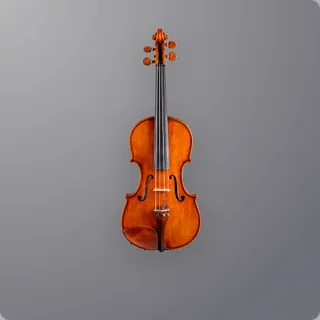
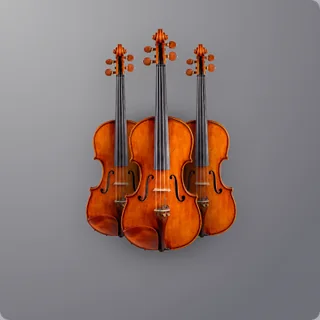
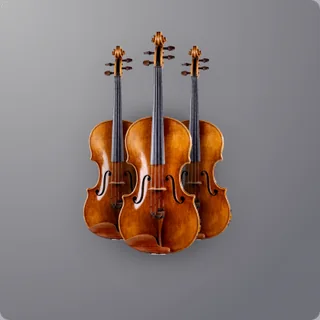
  • Violin
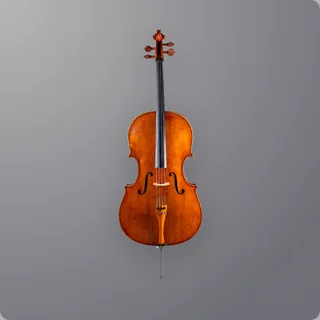
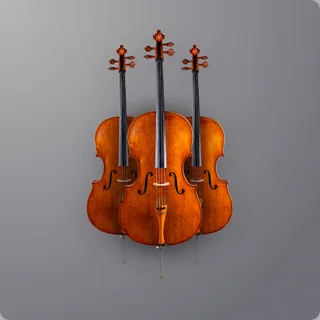
  • Cello
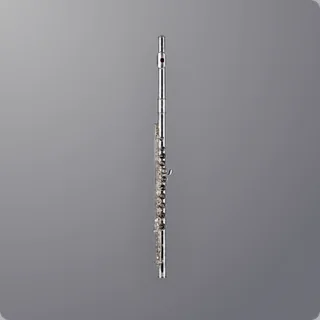
  • Flute
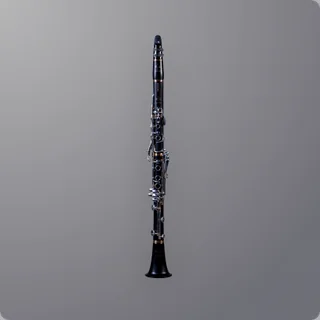
  • Clarinet
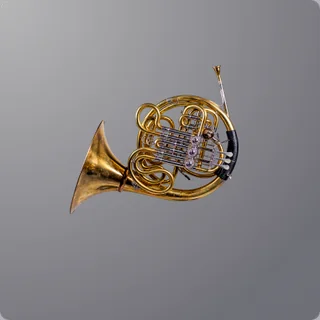
  • French Horn

Ensembles

Performed as sections – not stacked from soloists

  • 1st Violins14 players
  • 2nd Violins12 players
  • Violas10 players
  • Cellos10 players

Coming Soon

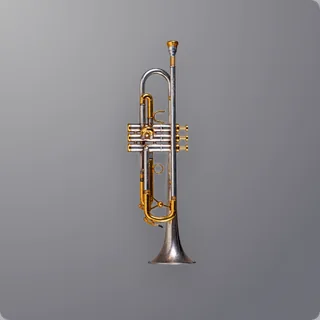
  • TrumpetSolo
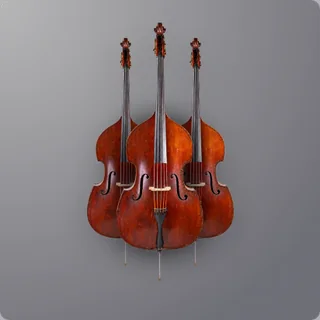
  • Double Basses6 players
“What really strikes me about Vienna Performer is how much it sounds like a real orchestra and how intuitive it is to use for such a novel tool. I can stay focused on writing and hear my ideas coming to life instantly without getting pulled out of the creative process to tweak samples. That’s not only inspiring in the moment, but when I share a mockup with a director, they can truly understand instantly how much the orchestra will elevate the score. This in turn actually helps me make the case for recording live musicians.”
H. Scott Salinas
Composer · Killing Castro, Elevation, The Banker

Hear it in finished pieces

Written by Composers.
Switch to What Vienna Performer Played.

Every note was written by a human composer. In pieces with accompaniment, Vienna Performer plays alongside sample libraries, with no live players.
They start as the full mix: flip to Vienna Performer Only at any moment and you hear just the parts Vienna Performer performed, same bar, same second.

01 / 09~50% samples

Imperial Reign

Levente Kovacs · Epic space opera, all VSL, electronics too

Listen to
Full mix
Vienna Performer Only
0:00 / 2:00

Plans

Pay for What You Actually Render.

Every plan is the complete Vienna Performer. The only difference is how many performance minutes arrive each month, on your plan’s billing day. No entry fee, cancel anytime.

Yearly: the same minutes every month, for the price of 10 months instead of 12. Cancel anytime: your plan simply runs to the end of the year you paid for.

Entry
€ 9.99per month, incl. VAT
140 performance minutes

First cues, students and smaller projects.

Choose Entry
Standard
€ 19.99per month, incl. VAT
360 performance minutes

One project running at any given time.

Choose Standard
Pro
€ 49.99per month, incl. VAT
1,000 performance minutes

Working composers with constant deadlines.

Choose Pro
Every plan includes
  • ✓All instrument models
  • ✓Commercial use
  • ✓Every DAW

Fair by design

Fair and Transparent Resource Management

No small print. A metered product only works if the meter is honest, so here are its three rules, in full.

One Minute, One Instrument

A performance minute is one minute of one instrument, performed. A two-minute solo line uses two; the same two minutes for eight instruments use sixteen.

Unchanged Never Costs Twice

Change two bars and only the phrase they belong to is rendered again, as a whole, rounded up to the next 10 seconds. A phrase runs until a pause of 2 seconds or more. Everything you did not touch stays as it is and is not charged again.

You Set When We Ask

Choose a threshold, say 30 seconds. Shorter edits render straight away; longer ones ask first and show the cost. A full re-render, such as a tempo change, always asks.

Cancel anytime

How to Cancel

Yes, we’re really telling you.

  1. Log in to MyVSL
  2. Click “Manage subscription”
  3. Select “Cancel subscription”

✓Done. Works on your phone.

What Happens After

  • Every render you made is yours forever.

    The audio files stay in your projects and stay releasable: on Spotify, in a film, in a game.

  • Vienna Performer stops loading

    At the end of the month or year you paid for. Render the lines you still need before you go.

  • Your VSL libraries work exactly as before.

  • Top-up Credits stay in your account.

    The monthly minutes stop when the subscription does, but Top-up Credits never expire. You can use them again as soon as you subscribe again.

Top-up Credits

A Busy Month Doesn’t Need a Bigger Plan.

Top up whenever you like, on any paid plan, without changing your subscription. One flat rate and one top-up you size yourself: from € 50 to € 1,000, in steps of € 50.
Bought once, yours until spent.

10 ¢ per performance minute
incl. VAT
500 performance minutes · € 50.00

From € 50 (500 minutes) to € 1,000 (10,000 minutes), in steps of € 50. Available on Entry, Standard and Pro.

Top up now

Top-up Credits are bought in your VSL account, on any paid plan. No plan yet? Choose one first.

Auto Top-up

Never run dry in the middle of a cue. Switch it on in MyVSL and a top-up is bought for you when your minutes drop below a level you choose, for example 60 minutes. You pick the size, from € 50 in steps of € 50, and can set a monthly spending limit: once it is reached, auto top-up pauses until your next subscription month. Off until you switch it on, and you can switch it off anytime.

Alerts

An email when your minutes drop below a level you set, 30 minutes unless you change it. If auto top-up has a monthly limit, a second alert tells you when it has used a share of that limit, 80 % unless you change it. Both are set in MyVSL.

How it works

From Here to Your First Performed Cue

About 1 min

Create Your Free VSL Account

An email address and a password, that’s it. No license key, no dongle. Your plan and your downloads live here.

About 2 min

Pick a Plan

Entry, Standard or Pro, from € 9.99 to € 49.99 per month, incl. VAT. No entry fee; change plan or cancel online anytime.

Up to 2 min

Download and Install

Download Vienna Performer from your VSL account as a standalone installer for macOS or Windows, or install it with the Vienna Assistant if you already use it.

In less than 10 min

Drop In a Line (or Play One) and Render

Put it on a track, feed it your notes or play a melody in, and press render. The cost shows first; rendering needs internet.

Quickstart

Rather Watch Than Read?

The quickstart video takes you through the first steps with Vienna Performer.

Plays from YouTube. Nothing loads from YouTube until you press play.

Manual

Rather Read Than Watch?

The complete manual, from installation to troubleshooting. Read it online, or as a PDF to keep offline or print.

Cover of the Vienna Performer manual

Opens the manual on vsl.co.at.

One stage, three ways

Three Ways to Hear Your Score Played in Vienna

Our Synchron sample libraries, the Vienna Synchron Stage Orchestra and Vienna Performer all come from the same scoring stage.

Synchron Series cover art

The library

Vienna Synchron Series

You play the instrument
Who plays
Every section, recorded on Synchron Stage; you program the performance
Your effort
Articulations, CC lanes, velocities and timing, line by line
Changes
As many as you like, each one by hand
Best for
An orchestral template you own for good
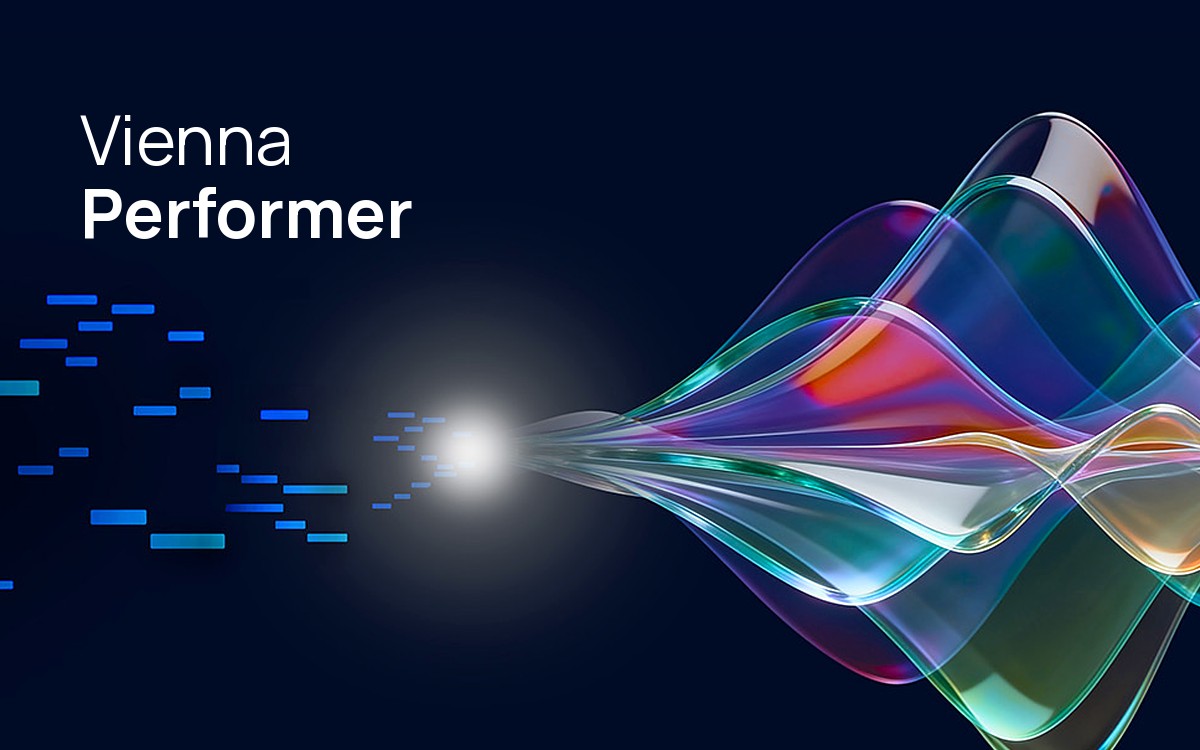
Vienna Performer product picture: MIDI notes flowing into a glowing point and out as waves of coloured glass

The player

Vienna Performer

You direct the player
Who plays
Synchron Stage recordings, performing the notes you wrote
Your effort
Minutes, not an evening of keyswitch and CC tuning
Changes
Edit a bar and re-render only that phrase
Best for
Hearing every line performed while you write
See the plans
Stage A at Vienna Synchron Stage

The real orchestra · 80 players

Vienna Synchron Stage

The orchestra plays, live
Who plays
80 musicians on Stage A, live, with conductor and engineers
Your effort
Booking, score and parts, then the session
Changes
During the session, then a new booking
Best for
The final recording of a finished score

They work together: write and refine with your libraries and Vienna Performer, then take the locked score to the stage.

“I’ve recorded at Vienna Synchron Stage many times. This is the closest I’ve ever heard to that experience on my computer.”
Simon FranglenComposer · Avatar: The Way of Water, The Magnificent Seven

Who is Vienna Performer for

For Everyone Whose Mock-up Has to Sound Real

  • ✓Composers on a deadline. A cue that has to sound convincing tonight, not after two days of CC-lane editing.
  • ✓Arrangers and orchestrators. Hear a line played before the session, so the rehearsal isn’t where you find out it doesn’t breathe.
  • ✓Students and self-taught writers. The fastest feedback loop there is: write a phrase, hear a player play it, change it.
  • ✓Anyone who already owns VSL libraries. Vienna Performer is one more track in the template you know, not a replacement for anything on your drive.
“Twenty-five years ago we recorded every note a musician could play, one at a time. Now we can hear the phrases we never recorded – played the way those musicians play, in the room they played it in.”
Vienna Symphonic Library, on why Vienna Performer exists

From early access

What Early Users Say

Knut Avenstroup HaugenPhoto: Marco Di Filippo
“Vienna Performer is a total game‑changer. Never before has it been possible to create such convincing performances with a virtual instrument. I have never heard phrasing even remotely close to what VP can deliver. It all comes down to the musician’s performance now, because the actual sound cannot get more realistic. It will take a very accomplished instrumentalist or orchestra to compete with VP when it is taken to its full potential. It is also incredibly efficient and fast to use; it handles most of the work for you, freeing up an enormous amount of time otherwise spent on programming. This is a treasure and a gift to all projects that rely on sampled instruments, and a very serious alternative to the real thing.”
Knut Avenstroup HaugenComposer
“This is very simply the most astonishing software I’ve ever used for writing music. The instruments are so realistic and beautiful. I end up wanting to write something just to hear how it comes out on the render. The future just arrived with a nice bottle and sat down on your couch!”
Timothy JonesComposer
“I never thought that I could produce tracks that feel so alive. Vienna Performer not just makes it possible, but it also does it effortlessly. I didn’t want to believe how amazing it is.”
Levente KovacsComposer
“Having witnessed the evolution of sampled instruments over the years, I find this truly remarkable. This is not just another step forward; it’s a giant leap for the entire industry.”
Guy BacosComposer

Before you decide

Technical Questions

Instruments, DAWs, setup and how rendering works.
How does it fit into my template?

It adds, it doesn’t replace. Vienna Performer loads like any other instrument and lives on its own track. You decide, cue by cue, when a performed line is the better answer and when a sample library is.

If you use VSL libraries: Vienna Performer was recorded at Vienna Synchron Stage, the hall your Synchron libraries come from. A performed line sits next to them without extra reverb or EQ.

If you use other libraries: nothing in your template has to change. Put Vienna Performer on one more track for the lines that should sound played, and keep everything else as it is.

Either way, it renders to audio in your project, so the result is a file you own, and nothing changes about the libraries already on your drive.

How does Vienna Performer integrate with existing VSL sample libraries?

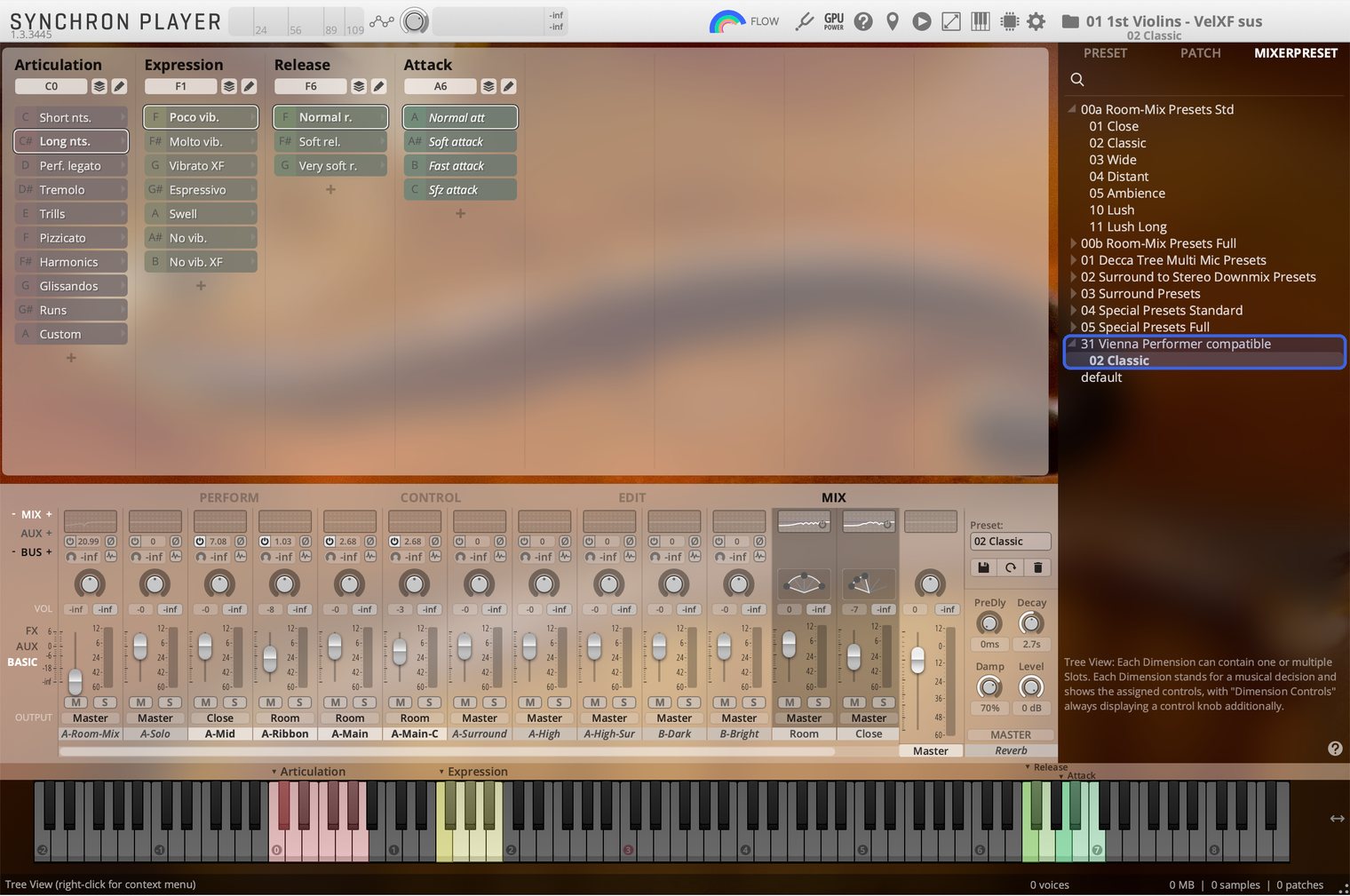
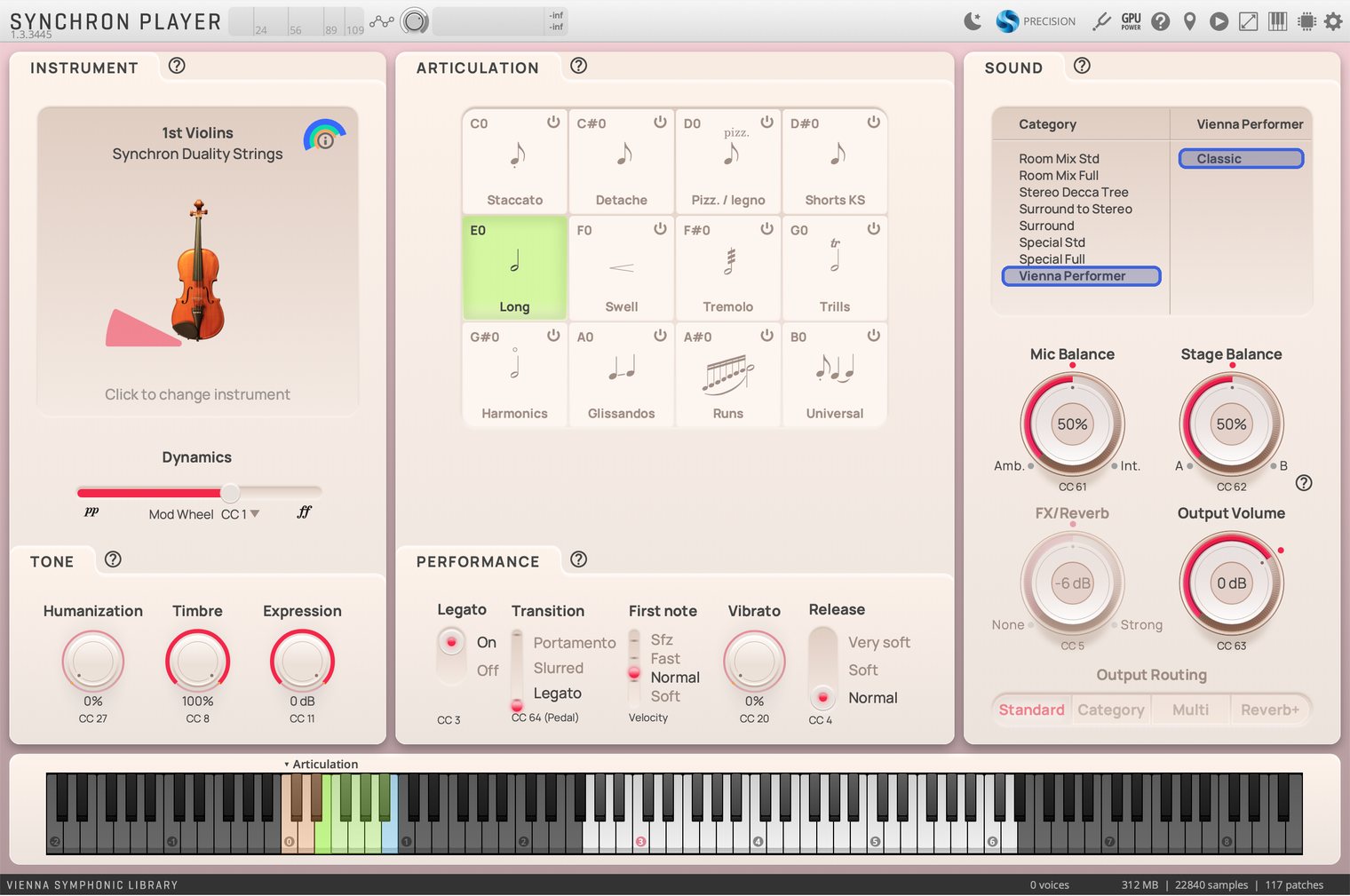
You will find dedicated mixer presets that match the sound of the instruments in Vienna Performer. The following products already come with those “Vienna Performer compatible” presets:

  • Synchron Duality Strings: 1st Violins, 2nd Violins, Violas, Cellos
  • Synchron Solo Violin 2
  • Synchron Solo Cello
  • Synchron Woodwinds: Synchron Flute 1, Synchron Clarinet 1
  • Synchron Brass: Synchron Horn 1
Synchron Player, Mixer presets: the folder “31 Vienna Performer compatible” with the preset “02 Classic”
In the Synchron Player’s mixer presets: the folder “31 Vienna Performer compatible”.
Synchron Duality Strings, Sound: the category “Vienna Performer” with the preset “Classic”
In Synchron Duality Strings, under Sound: the category “Vienna Performer”.
Why does it fit the way I work?

Performed as a section. Our ensembles were recorded with the actual number of players. No stacked instruments: a section line sounds like a section because a full section played it.

One plug-in, no second app. Vienna Performer sits on a track in your DAW like any instrument. Play the passage once, press render, and the audio lands in your project.

The audio is yours. More than an ordinary audio file: every render is a four-channel file with a close and a room signal, to mix as you like. Use it in releases, films, games and client work, also after you cancel.

Which instruments can it play?

At release, nine: five soloists (violin, cello, flute, clarinet and French horn) and four string sections (1st violins, 2nd violins, violas and cellos), each section recorded with its actual number of players. Trumpet and double basses follow soon. Everything recorded at Vienna Synchron Stage.

How many articulations does it have?

That can’t be answered with a number. Vienna Performer reacts to note lengths and note connections automatically, so the performance is in the model, not in an articulation list. On top of that, you can switch to other playing techniques, such as tremolo and pizzicato with the strings.

Will it work in my DAW?

Yes. It runs as VST3, AU and AAX, which covers every current DAW, the free ones included. There is no standalone version: Vienna Performer lives in your DAW or notation program, where your notes are and where the render lands.

What are the system requirements?

Vienna Performer runs on macOS 12 or later and Windows 10 or later. You need:

  • A host for plug-ins: a DAW or notation program that hosts VST3, AU or AAX plug-ins. On macOS, Vienna Performer installs as VST3, AU and AAX; on Windows as VST3 and AAX.
  • An internet connection for rendering. Renders already on your disk play without one.
  • A VSL account with an active Vienna Performer subscription. No iLok.
  • Disk space for your renders: they are saved as FLAC files in a render folder you choose, ideally inside your DAW project.
Do I need an iLok account?

No. Vienna Performer runs on your VSL account, so there is no iLok account to set up.

What is “integrated MIDI buffering”?

It is how the plug-in gets your notes. Vienna Performer has to know the whole passage before it can perform it. A musician reads the line before playing it, and so does this. So you play the section back once, which is when the plug-in captures the notes, and then you render.

That is the whole workflow: play, then render. No exporting a MIDI file, no dragging anything anywhere, no second application. It works the same way in every DAW, because it is just playback.

Does it need to be online?

Yes, rendering needs an internet connection. The performance itself is computed for you, so a laptop on a train with no signal can still write and edit, but not render. Everything you have already rendered is audio in your project and plays back offline like any other file.

Will a re-render sound exactly the same?

Not necessarily. A render you already have never changes: it is a file. But if you change a bar and render again, the phrase may come back slightly different, also in notes you did not touch. Anyone who has worked with a live orchestra knows that take two is not take one, so keep the takes you like.

Notation Programs

For composers who write in Dorico or Sibelius.
Does Vienna Performer work with notation programs?

Yes, and very well, with Dorico and Sibelius in particular. Vienna Performer can be integrated directly into Dorico and Sibelius, so you don’t need a notation export: your score becomes the line it performs. Write it in notation, play it back once, render.

A score suits it naturally. Like a musician reading a part, Vienna Performer needs the whole phrase before it can perform it, and a score is exactly that.

Are there Dorico Playback Templates?

Yes. With our Dorico Wizard, you can generate Dorico Playback Templates including Vienna Performer. A playback template tells Dorico which sound to load for each instrument in your project: apply it, and your players are set up with Vienna Performer without assigning anything by hand.

How do I use it in Sibelius?

Add Vienna Performer directly to your Playback Configuration, or use it in Vienna Ensemble Pro 8. Adding it to Vienna Ensemble Free 7 is not supported.

Make sure you use the “Vienna Performer” sound set that comes with the Sibelius Sound Sets installer, which you can download in the Vienna Assistant under “Additionals/Notation”. In your Sibelius Playback Configuration, enable “Manual Sound Sets” and configure each instrument there.

Does it work in MuseScore?

Not yet. Today Vienna Performer works with Dorico and Sibelius.

Plans and Usage

Minutes and credits, top-ups, yearly plans and switching.
Which plan is right for me?

How Many Cues Do You Write a Month?

Assuming 3-minute cues, 5 instruments playing about 70 % of the time, and 2 correction rounds.

Customize calculationHide settingsAdjust duration, instruments and more.
195performance minutes a month

That fits Standard: € 19.99 per month, using about 54 % of its 360 minutes, with room to spare.

Choose Standard

Correction rounds are counted as full passes, the pessimistic case: a changed bar really costs only its phrase. Estimate only.

What exactly is a performance minute? And a credit?

A performance minute is one minute of one instrument, performed. In your account it is kept as 60 credits, one per second.

Vienna Performer always renders a musical phrase as a whole, because a musician never plays half a phrase either. A phrase is a run of notes with no pause of 2 seconds or more; a longer pause starts a new one. Each phrase is counted in 10-second steps, rounded up: a 7-second pickup costs 10 credits, a 23-second phrase 30, a 3-minute line without a pause exactly 180. If you change one note, the whole phrase it belongs to is rendered again. Phrases you didn’t touch are not.

In money, a performance minute works out at about 7 ¢ on Entry, 5.6 ¢ on Standard and 5 ¢ on Pro.

Why do some figures say “about”?

Two reasons. Every phrase is rounded up to the next 10 seconds, and the hall keeps playing: the reverberation is rendered with the performance, so a phrase you wrote as twelve seconds comes back a little longer than twelve. Re-renders stay small: only the phrase you changed, rendered as a whole so it still sounds like one line, rounded up to the next 10 seconds.

Can it render something without asking me?

Only under a limit you set yourself. The Credit Saver has one threshold, 30 seconds for example. Below it, small adaptations render automatically: moving a MIDI event a few ticks, a minimal CC1 change, the hundred tiny edits that make up an afternoon’s work. Above it, you are asked first and shown the cost.

One thing overrides the threshold: anything that forces a complete re-render (changing the tempo, for instance) always asks, however short the passage. That is the edit that can quietly cost real minutes, so it never happens behind your back.

Do unused minutes roll over?

Two different answers, because there are two kinds. Your plan minutes arrive every month on your plan’s billing day: the day the plan started or was last upgraded, not the 1st of the calendar month. Minutes you did not use lapse when the next month’s minutes arrive. This is the same on monthly and yearly plans. Top-up Credits you bought on top never expire. And because the monthly minutes are always spent first, a top-up is not quietly eaten by a month you were going to pay for anyway.

What happens if I run out mid-month?

On Entry, Standard or Pro, top up in your VSL account (MyVSL), from € 50 for 500 minutes up to € 1,000, in steps of € 50, without changing your plan or losing what you were working on. Those minutes sit in your account until you use them, so an over-buy in a busy month is never wasted.

Is there a yearly plan?

Yes. Every plan can be paid yearly: you pay for 10 months and get 12: Entry € 99.90, Standard € 199.90, Pro € 499.90 a year, incl. VAT. You get exactly the same as on the monthly plan, with new minutes every month on your billing day. The saving is purely in the price. Cancel whenever you like: the plan runs to the end of the paid year and is not renewed.

Can I switch plans later?

Yes, between Entry, Standard and Pro, monthly or yearly, whenever you like.

Moving Up

A bigger plan, or monthly to yearly

Starts right away. Your new minutes are there at once and your new billing period begins today. Whatever you haven’t used of your current plan reduces your first payment of the new plan.

Moving Down

A smaller plan, or yearly to monthly

Starts at your next renewal. Until then you keep your current plan and all its minutes. Changed your mind? Cancel the switch any time before.

Example: you’re on Standard monthly and have used half your minutes. Switch to Pro today, get Pro’s minutes right away, and pay € 49.99 − € 9.99 = € 40.00.

Top-up Credits are never affected by a plan change. On a yearly plan, the months still to come count as unused too. Change your plan in MyVSL.

Is there a minimum term or a setup fee?

No to both. No entry fee, no minimum term. You pay for a month or a year, and if you don’t want another one you cancel online in MyVSL. Nothing more is charged, and your plan runs to the end of the period you already paid for.

Is there an education (EDU) discount?

No. VSL’s education discounts (EDU) do not apply to Vienna Performer subscriptions. If you are a student, the Entry plan is made for first cues and smaller projects.

Do I need a subscription to keep using my sample libraries?

No. Your sample libraries work exactly as they do today.

VSL and AI

What people ask us about AI and music, answered as plainly as we can.
Are my VSL sample libraries worthless now?

No, and they do things Vienna Performer can’t. Sample libraries give you far more control: the articulations, the instruments and ensembles, the microphone setups and the acoustic environments – the Studio Series is recorded fairly dry. The Synchron and Studio Series libraries offer a level of detail and tweakability that is hard to match.

There is also a sound and style that sample libraries themselves helped create. A lot of contemporary film and trailer music is shaped by it: tight staccatissimos, over-the-top orchestration, aggressive hybrid productions. Vienna Performer renderings represent a more purist style of playing, like a musician or ensemble interpreting a score on a scoring stage.

A sample library gives you every recorded note on demand; Vienna Performer gives you a player for the line you just wrote. Each does things the other cannot, which is exactly why both were recorded in the same hall with the same players. Think of Vienna Performer as one more player in your template: most pieces will use both.

How you combine them is up to you. Some will sketch with libraries and bring Vienna Performer in once a part is settled to save render credits; others will render early and often, because hearing a line played is the quickest way to know whether it works.

Do I need to disclose that I’ve used AI to make my track?

Sometimes – and honestly, this is new territory. The rules are still being written, and they differ from one platform and one client to the next. Here is where we think you stand, and what we suggest you do.

Vienna Performer renders what you composed. It is an AI-assisted tool, in the way that AI-assisted mixing and mastering are: it needs your exact input – notes, note lengths, velocities, dynamics – which is a very different thing from a prompt. It creates the performance you tell it to create. It invents nothing. The music is yours, and so is the copyright in it. We also keep neither your MIDI data nor your renders.

Streaming platforms

Every platform that has published a policy draws its line in roughly the same place: the distinction is between music that was generated and music that was made with AI-assisted tools, and what decides it is who made the creative decisions, not which tools touched the audio.

DDEX (Digital Data Exchange) is the metadata standard the release chain uses – labels, distributors, streaming services and collecting societies exchange it as XML. It describes how a recording was made:

  • Five categories: AI vocals, AI instrumentation, AI composition, AI post-production, AI lyrics.
  • Recording-level flag: Contains AI – All / Partly / None.

For a track with Vienna Performer in it, the answer is normally AI instrumentation, and Partly. There is usually no box for this in your own upload form, because your distributor submits these fields. So tell your distributor.

Why we recommend disclosing

Nothing requires you to, and nothing in a render gives you away – there is no watermark and no AI metadata in the file. We suggest disclosing anyway, for two reasons.

The first is that we would rather be straightforward about how this works than leave it to be characterized by someone else. The second is more practical: Partly is the flag that protects you. It marks the difference between a recording that used AI for the instruments and a recording that is AI-generated – and it is the fully AI-generated ones that platforms demote, exclude from playlists and in some cases do not pay.

Declaring says your instruments were rendered. It does not say your music was generated, it does not say the composition isn’t yours, and it does not put your release in the AI-generated category.

If a platform flags your track

Keep your project. The DAW session, the MIDI, the notation file and the renders are evidence that a human wrote the music and directed the performance. Detection tools listen to audio – they do not read metadata and they do not know what Vienna Performer is. If you ever have to make the case, your project files make it better than anything we could write here.

Film, television, games and library music

There is no standard here at all. In most cases clients care whether you own the copyright rather than how you made the recording – though production and library music is the exception, and some publishers now ask about AI use explicitly or rule it out in their submission terms. Read the contract in front of you.

If you are asked to describe your production method, this is wording you can use:

The music delivered is my own composition and arrangement. Orchestral parts were performed using Vienna Performer, a rendering service from Vienna Symphonic Library that performs notated or sequenced parts using models trained exclusively on recordings made by VSL with musicians of the Vienna Synchron Orchestra, licensed for that purpose. No third-party recordings, scraped audio or AI-composed material are involved. The instrument material in the delivered audio is warranted free of third-party rights by VSL; the composition and the master are mine.
Collecting societies

Nothing changes. The composition is human and registered as yours, and the rendered audio is a recording you produced, so the producer’s rights in it are yours too.

What VSL does, and does not, do
  • No claim on your composition. We acquire no rights whatsoever in what you send us.
  • No training on your material. Your input and your renders are never used to train, fine-tune or evaluate any model.
  • Nothing kept. Your MIDI input and your renders are deleted after delivery.
  • No marking in the file. Renders carry no watermark and no AI metadata.
  • A guarantee you can pass on. The instrument material in your render is warranted free of third-party rights.
  • One thing you may not say. A render may not be presented as the performance of a named or identifiable musician.

This guide is information, not legal advice, and the rules in this area are changing quickly. Where a platform or a client has its own requirements, those apply.

Are you putting musicians out of business?

No. At Vienna Symphonic Library we work with a pool of 300 to 400 musicians who play at Vienna Synchron Stage regularly: they record film and game scores, our sample libraries, and the training recordings Vienna Performer learned from. We employ them and pay them, Vienna Synchron Stage is by far the largest provider of session and recording work in Austria, and we are working to bring more productions to Vienna, not fewer.

And a render is not an orchestra. Vienna Performer plays every instrument track on its own, each with its own ambience. Musicians play together: the players of a section adjust to one another, the sections to the whole orchestra, everyone to the conductor, and every take is read a little differently. Recorded together in one room, they make one unified recording. A virtual performance can deliver great results, but it will never replace the magical coincidences that happen when people play together.

Is this the end of making music?

We believe it is the start of something new. Our goal has never changed: to give creative people the best tools there are for writing great music.

Vienna Performer does not write a single note for you. It plays yours, and it makes building a virtual orchestration a lot simpler, more intuitive and much faster.

Why does the preview sound so basic?

While you play in or play back your MIDI, Vienna Performer gives you a simple preview sound so you hear the notes. The performance itself arrives when you render. We keep the preview basic on purpose, so the installer stays slim.

For a satisfying sound while you play live, use the instruments you already have, your VSL libraries for example, on a track next to it. Playing in real time is the part of making music Vienna Performer will never replace: like a musician reading a part, it needs the whole phrase before it can perform it.

Isn’t this just another AI music generator?

No. An AI music generator writes the music for you: you describe a mood and it decides the notes. Vienna Performer does not write music; it plays what you wrote. There is no prompt: the input is your MIDI, your dynamics and your phrasing, and it decides only how the notes are played.

Its models were trained only on recordings we made and own: no scraping, no third-party recordings, no customer material. That is guaranteed in the license agreement, not just asserted in the marketing.

Side by side, the difference looks like this:

Generic AI music tools
Vienna Performer
–You describe, it decides. The notes are not yours.
✓You write the notes. It only decides how they are played.
–A finished stereo file you can’t take apart
✓One instrument on one track in your own session, so you can revise a bar and re-render
–Room and instrument baked into one mix: want it drier, generate it again
✓Separate Ambient and Close channels you blend freely, with no re-rendering and no extra credits
If anyone can sound like an orchestra now, what makes my music stand out?

The same thing as always: the music. Vienna Performer takes care of how a line is played. What is played (the melody, the harmony, the orchestration and every decision behind them) is still yours, and a well-performed mock-up only makes those decisions easier to hear.

Do I still need to learn orchestration?

If you want to write well, yes. Vienna Performer plays what you write; it does not choose the instruments, the voicing or the register for you. What changes is how quickly you hear the result: write a phrase, hear a player play it, change it. That makes it a very fast way to learn.

Isn’t AI bad for the environment?

It is a fair question, and the answer depends on the AI. Vienna Performer is not a general-purpose model. It was trained once, on a limited set of our own recording sessions rather than a scraped corpus of millions of tracks, and it is never retrained on customer material, because we never keep any. A render takes a few seconds of computing on a short piece of audio.

Why a subscription and not a one-time purchase?

Because Vienna Performer is a service rather than a file. A sample library has its own ongoing costs – updates, compatibility, support – but they do not grow when you use it. Rendering does: every render runs on machines we pay for, each time you press the button.

It also keeps the product moving. Vienna Performer is the result of a year-long development process and we are just getting started: more instrument models are in production, and improvements will keep arriving. A subscription brings all of that to you as it lands, with nothing to buy again.

You start at € 9.99 rather than a large payment up front, you can upgrade at any time, and you can cancel whenever you like.

And what you subscribe to is the ability to make new renders – not the right to keep the ones you have already made. Every render is yours for good: use it anywhere, including commercially, even after you cancel.

Why should I trust an AI instrument from VSL?

Because it answers the question we have worked on since 2000: how do you make a computer play music like a musician? It is made from the same recordings, in the same hall, by the same people as our libraries, and you can check the results on this page before you pay anything.

Will my music be used to train Vienna Performer?

No. Not your MIDI, not your renders, not now and not later. Nothing you send is used to train, fine-tune or evaluate any model – it is deleted as soon as your render comes back, so there is nothing left to train on even if we wanted to.

Is an unreleased score safe?

Yes – here is exactly what happens to it.

What leaves your DAW is note data – your MIDI, not audio of your score. It reaches the render service through our gateway and carries no information about who you are. Nobody at VSL listens to it or looks at it: we don’t review, filter or monitor what you send.

Your input is deleted as soon as the render comes back to you. The render itself is kept for up to an hour so you can download it, then deleted as well. Neither is held in a cache, an archive or a backup, and neither is ever used to train, fine-tune or evaluate any model. That is in the license – and the license also says we cannot weaken those commitments in a later version of it.

Formats & Compatibility

Plug-in formats
VST3 AU AAX (Pro Tools) Works in every DAW
Input
MIDI file MusicXML (notation export) Live MIDI from your DAW Dorico and Sibelius, directly More formats TBC
Operating systems
macOS 12 or later · Native Apple silicon support Windows 10 or 11 · 64-bit Internet connection required to render

System requirements and install size are being finalised.

Hear about new developments first.

Hear it in a real piece
Imperial Reign: full mix with Vienna Performer